How It Works
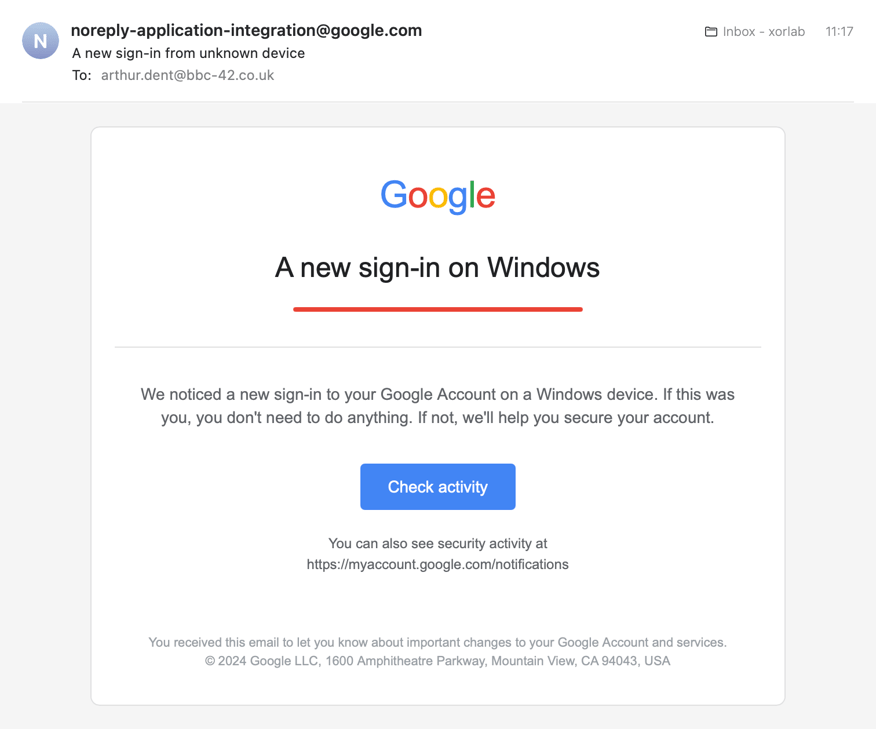
The attack leverages Google's Application Integration infrastructure to send emails from `noreply-application-integration@google.com`. Because these messages originate from Google's own servers, they pass SPF, DKIM, and DMARC authentication — making them appear fully legitimate to both email gateways and recipients.
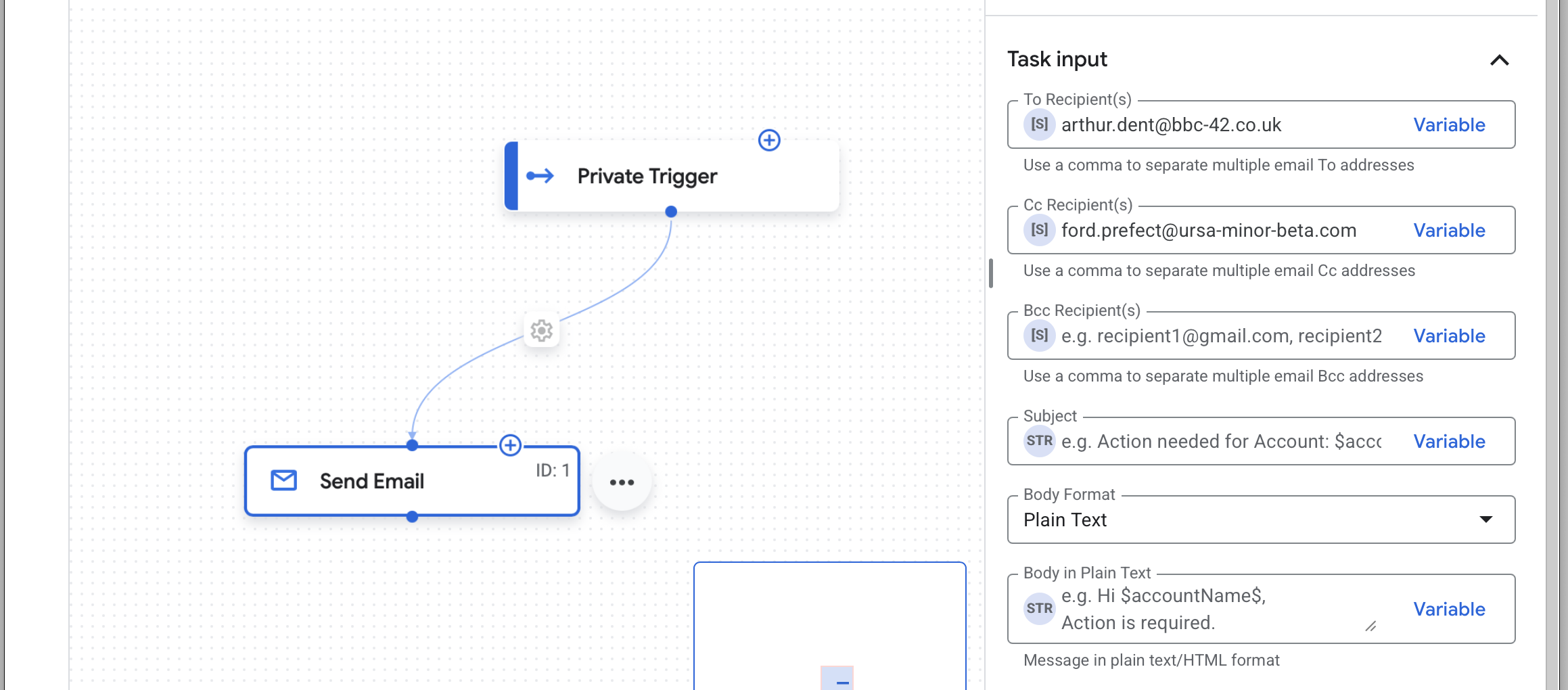
Setting up the email sending workflow in Google's Application Integration service
To maximize credibility, attackers pair these authenticated emails with links pointing to Google-hosted domains like `storage.cloud.google.com`, `sites.google.com`; and `share.google` and use Google's recognizable email templates for their messages. The result is an email from Google, with links to Google, that passes all standard email authentication checks.
Likely Attack Objectives
To evade detection, attackers use multi-hop redirect chains that bounce through multiple legitimate services. A typical chain might look like this:
Google domain (e.g., share.google, sites.google.com)
→ Microsoft OAuth (login.microsoftonline.com)
→ Attacker-controlled page (e.g., AWS S3 bucket)
Each hop uses trusted infrastructure — Google, Microsoft, AWS — making the attack difficult to detect or block at any single point. Regardless of the entry point, victims eventually land on the Microsoft 365 login page, revealing the attackers' primary target: M365 credentials.
Depending on the victim's role, the attack serves one of two purposes:
Credential Harvesting
For most victims, this is straightforward credential theft. The OAuth flow requests the scope https://management.core.windows.net//.default, but most targeted recipients don't have Azure management privileges. Instead, we believe the OAuth prompt serves as a mechanism to capture and validate credentials through Microsoft's legitimate login flow — even if the victim lacks Azure permissions, the attacker confirms the password is valid.
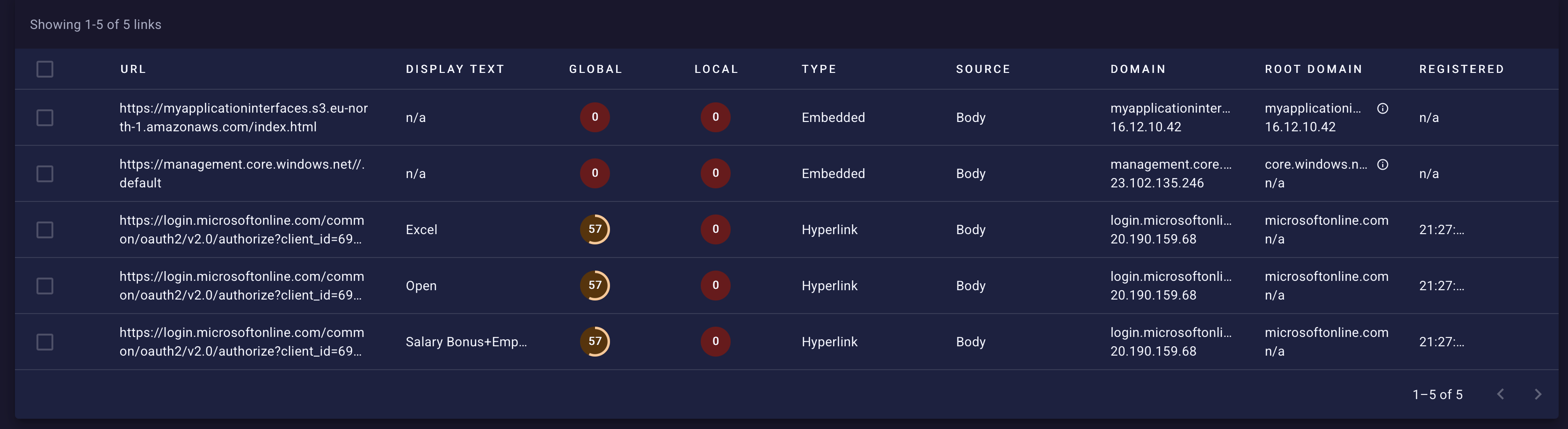
OAuth Consent Phishing
For victims with cloud privileges, this becomes an OAuth consent attack (also known as "illicit consent grant"). The attackers trick victims into granting a malicious Azure AD application access to their cloud resources — gaining access to Azure subscriptions, VMs, storage, and databases via delegated permissions that persist through access and refresh tokens.
Why This Bypasses Traditional Defenses
- Legitimate login page: Credentials are entered on Microsoft's real site, not a fake
- MFA doesn't help: The victim completes MFA themselves during authentication
- Tokens persist: Access tokens last hours or days; refresh tokens extend access further
- Multi-cloud obfuscation: Google, Microsoft, and AWS infrastructure in a single attack chain
Why It's Effective
This attack succeeds where traditional phishing fails:
- Authentic sender domain: Emails come from @google.com, not a lookalike
- Passes authentication: SPF, DKIM, and DMARC all validate successfully
- Trusted link destinations: URLs point to legitimate Google domains
- Familiar format: Notifications mirror real Google sharing alerts
For many security tools and users, these signals indicate a trustworthy message.
Mitigation Recommendations
Security teams should consider the following:
- Flag or quarantine emails from `noreply-application-integration@google.com` for manual review
- Alert on suspicious patterns involving `sites.google.com` or `storage.cloud.google.com` links, especially when combined with urgent financial or security themes
- Update awareness training to include this specific attack vector — users should know that @google.com senders can still be malicious
- Monitor for indicators such as unexpected Application Integration notifications in environments that don't use this service.
Examples and References
Example screenshots
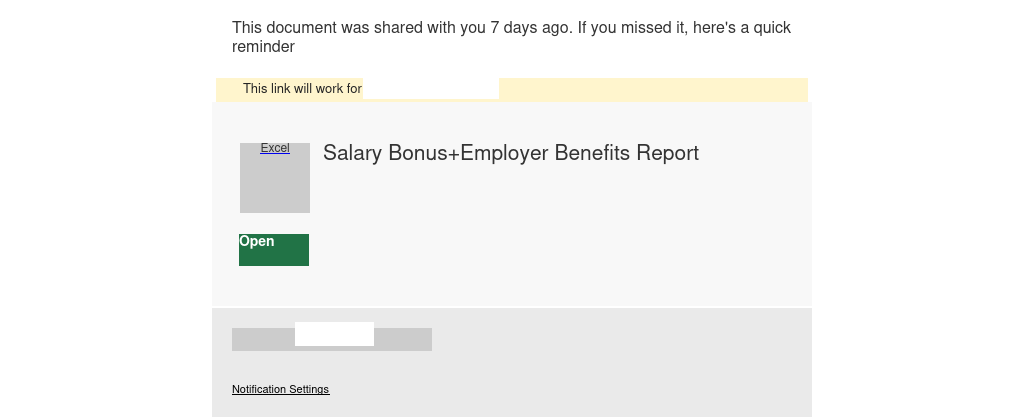
Fake File Sharing notification
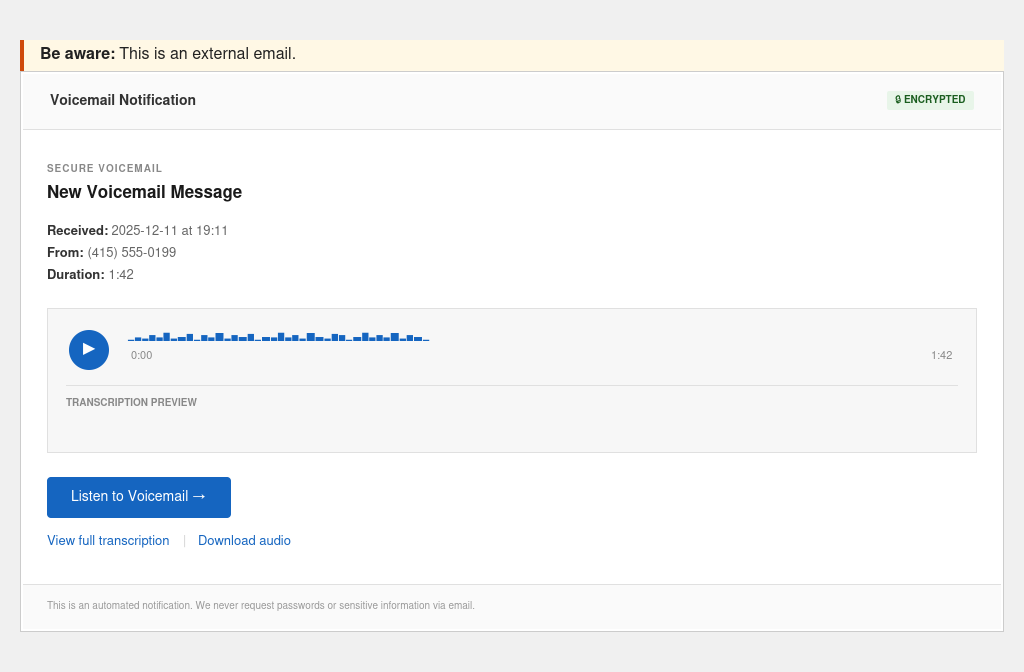
Fake voicemail notification
References